Product Owner, Scrum Master and Team: this is Scrum!

As you read in my previous post “Approaching Scrum”, in the short description of this Agile technique, I talked about  3 main roles that composed the Scrum team.

The main 3 roles are:

  • Product Owner
  • Scrum Master
  • Development Team

There are also other people that partecipate in a Scrum team and I’ll talk about them in a bit.
I’d like to share a brief introduction to each role before talk, in another post, about the Scrum process in details.

Where is the project manager ?

That’s a good question, as you can see above in the list of the main roles, the project manager role is not mentioned.
Basically what the project manager represents in the traditional software development where basically manage the communication between clients and the company, manage the team’s tasks and so on, in Scrum we are dividing those functions trough the members of the Scrum team (product owner, scrum master and development team) giving more responsibilities to them.
This thing will have a positive impact with the whole team that is more involved in each part of the project (planning, decision and development) and they can drive the risk using Scrum to achieve the best business value so the best result for their customers.
Another important aspect to take in consideration, when you are working with Scrum, is that we don’t have the concept of “project” anymore, but we’ll work on features and improvements with a continuos delivery instead of a “big bang delivery” at the end of the project.
This will ensure that we’ll focus more in the business value instead of waste time in something that is not important for that project and that couldn’t have the right value for our stakeholders.
For my perspective a natural evolution for a project manager could be the product owner, or if he has got a technical background could be Scrum Master; for sure the most important thing is that he has to change the way to approach any development and he has to think in a collaborative instead of a hierarchical way.

Product Owner

This role is very important inside a Scrum team, in fact the product owner is the “voice” of stakeholders and customers or users.
He is also the person that has the product vision, that is in charge to take the right business decisions during the development of a new or existing product and he has to help the team, if it’s possible everyday, answering on questions related to the product.
He is in charge to create and maintain the Product Backlog and to share the product vision with the whole Scrum team.
The most important thing is that the Product Owner is always available for the team because he is part of the team and his role is essential to accomplish all the business aims of a project.
In fact he is in charge to order the activities to do in the Product Backlog and to update them (this process is called grooming) following the customer’s perspective.
Usually the Product Owner is someone that have familiarity to talk with customers or internal management as well and he is quite technical to talk with the Development Team.

Scrum Master

The perfect definition of a Scrum Master is: “Mr. Wolf” !
The Scrum Master is the person that try to facilitate the use of  Scrum inside the team, he has to remove impediments to the Scrum team, facilitate Scrum introduction in a new team,  avoid any external distraction to the Development team and so on.
The key concept for any person that is approaching this role is that you are not a chief of someboy, you are coaching Scrum to people not imposing something to them!
In fact another good definition of Scrum Master is the servant leader.
Usually the Scrum Master is a Lead Developer or a QA person anyway it should be someone that has got enough technical knowledge to understand and solve the problem of the Team and to discuss with the Product Owner and guide him to create good artifacts for the Scrum team.
This activity required more or less the 50% of the time for a person so usually the Scrum Master is often member of the Development Team as well.

Development Team

When Scrum talks about Development Team it doesn’t mean only developers but a group of people that work actively to the product.
So inside the development team we can find: analysts, designers, testers, UX team, developers and so on.
In Scrum the team has cross-functional skills that allow them to deliver feature every Sprint.
Another important thing is that the team is self organised so nobody (nor the Scrum Master neither the Product Owner) can add activities to their daily job or impose the timeframe to finish a task.
At the beginning it could be so strange but in this case people in a team assume more responsibility and the project will be done in the best way ever.
In the old way to manage a team where the project manager imposed his role to have the feature that he wants when he wants, the team was only executive people without any relation with the project and often without any reward if the project will be well done.
In Scrum the team is in charge to estimate the project, to choose the task to accomplish during a Sprint deciding them with the Product Owner and, last but not least the team has to develop more features as possible with an high quality of code (tested, documented and so on).
We’ll talk more in deep about estimates and about the “definition of done” in next posts for now what you need to know is that the team is not passive anymore but they play an active and important role to achieve the goals of each product.

Other actors

In Scrum the main roles are what you have read above but there are many other people that partecipate to the good delivery of a product, in particular when you start to scalate Scrum to many teams.
In fact Scrum is a framework to manage 1 or 2 teams but not more, there are many other Agile frameworks that help you in this activity like SAFe (Scaled Agile Framework).
Other people that partecipate to the delivery of a project are for sure the stakeholders.
Stakeholders can be internal or external, when we refer to internal stakeholders we have to think to our management that share with the team their needs and how their point of view to improve or change the product developed by the team.
The external stakeholders are our customers or users, yes you read well, our customers or users are very important in the Scrum process because they are the ones that decide if the project is going in the right direction or is failing.
Personally I think is the biggest challenge involve our customers inside the Scrum process but for sure it will be very useful for the team and the product because they can constantly give us feedback on the right direction to take with the product.

Approaching Scrum

Have you ever felt disappointed because you don’t finish a project in time?
When you try to estimate a project you feel like a poker player?
Have you ever wrote bad code because you were overtime and you needed to delivery as fast as possible?

If you think that there isn’t a way to escape from this nightmare you are completely wrong and I understood it in the las few months as well!
I don’t want to say that with Agile you can solve everything, but what I can say that for sure it can help you to achieve your goals and deliver in time with the best quality and value for your customers or users.

Let’s start from the beginning…

What is Scrum?

Scrum is an iterative and incremental Agile software development framework for managing software projects and product or application development. Its focus is on “a flexible, holistic product development strategy where a development team works as a unit to reach a common goal” as opposed to a “traditional, sequential approach”. Scrum enables the creation of self-organizing teams by encouraging co-location of all team members, and verbal communication among all team members and disciplines in the project.

A key principle of Scrum is its recognition that during a project the customers can change their minds about what they want and need (often called requirements churn), and that unpredicted challenges cannot be easily addressed in a traditional predictive or planned manner. As such, Scrum adopts an empirical approach—accepting that the problem cannot be fully understood or defined, focusing instead on maximizing the team’s ability to deliver quickly and respond to emerging requirements.

From Wikipedia.org

When you start to read about Scrum a lot of things seem impossible to apply in your daily job but I think that, like any transition period, you can arrive to work completely in Scrum in less than 6 months if you really want change your organization and improve it.
From my experience Scrum is a good framework that should be used extensively if you are working in products that will be delivered to the final user, otherwise you have to train up your customer to be Agile; but in the real world it could be more difficult.
Mainly because you need to have a good trustability before start to involve them in an Agile process and sometimes there isn’t enough time to do so.

Why have I to use Scrum?

That’s a good question, it was the same that I asked me few months ago and finally I’ve an answer, if you are a developer think when you started to write the first lines of code, obviously day by day you increase your knowledge and your code became even better until to the procedural code it wasn’t enough and you try to look to something more.
Then you have discovered OOP concepts and maybe design patterns, after few times you started to work with MVC, MVP, MVVM or your favourite architecture and probably after many years if you look back you won’t write procedural code anymore.
Does it sound familiar?
In the same way of Design Patterns and a micro-architecture that drive you to create solid and maintainable project, Scrum can help you to organise your projects creating a great business value, knowing every time the next steps and the actual status of the project, estimating better the goals and the time to achieve them and last but not least to drive the risk in a better way than the “traditional” methodology (waterfall model for instance).

How does Scrum works?

Scrum diagram
Scrum

As you can see from the diagram above, Scrum is an iterative workflow that happens in a small amount of time (usually 2 weeks or 4 weeks at least) where with few documents and a lot of communication you can achieve the best trade off between the business value for your final customer and the best quality of your software.
Scrum is composed by some actors (Product Owner, Scrum Master, Development team and Stakeholders), some meetings (Release Planning, Backlog Refinement, Daily Scrum, Sprint Planning, Sprint Review, Sprint Retrospective) and few artifacts (Product Backlog, Sprint Backlog, Burndown chart, Product Increment).
The most important concept that you have to keep in mind is that Scrum is easy to use and to understand but if you want to have its benefits you have to follow its rules.
To enter in this interesting world you have to keep in mind the 3 main concepts of an empirical process like Scrum:

  • Transparency
  • Inspection
  • Adaptation

Without this 3 fundamentals principles, Scrum it’s not useful at all!
Transparency means that you and your team don’t have to hide anything to anybody, if there are any impediments or problems or bottleneck following Scrum you can find and resolve them.
Inspection means that you and your team have to analyse what you have done after a small amount of time (Sprint Retrospective) and find what positive or negative was happened during that period.
Adaptation means that everything is not binary (0 or 1, true or false) but you have to adapt your way to work day by day improving yourself inspecting what you have done and being agile!

If you want Scrum is not only a good approach to work, it could be a good approach for life as well!
(Check also this useful article on Scrum Alliance website that explains Scrum in 30 secs)

Ok, now I’m really interested in Scrum, where to begin?

There are many books that allow you to enter in this amazing world, the first one that I can suggest you is Essential Scrum: a practical guide to the most popular Agile process

Essential Scrum
Essential Scrum

In this book you can really understand how the Scrum framework works and how to use it in your daily job.
I also suggest it if you are planning to join in a Scrum training course, it can really help you to have a good preparation for the course and for the following certification exam.

Next steps

What I’d like to share with you is my notes about Scrum studied on books, read on blog or social networks and share with my fellows, my idea is to fix few concepts on this blog that could be helpful also for people that is approaching Scrum right now or they would like to know more about it.
There are really tons of things to know and you’ll never finish to learn (as usual) so I think a blog it could be a good resource to share the basic of Scrum and in the future, going more in deep with real case studies related to my daily job.
I hope you will enjoy this information that are not what you usually find in my blog but maybe could be interesting as well, as usual any suggestion will be very appreciated so don’t be shy and share your thoughts!

Photoshop, Edge Reflow and Edge Inspect: the new responsive workflow

Today I’d like to talk about something that is not strictly related to development process but that it’s very useful when you are running your company as freelance or entrepreneur or if you are team leader of a team.
One of the most important thing for me when you approach a new technology is not only understand if it could fit all your needs but also understand when you introduce in your team or company how to have the best result as soon as possible.
That’s why I keep always a lot of attention on how to create a flexible and elastic workflow that allow my team to create or modify client side solutions without waste our time.
In last years we rapidly see the grow of an hot topic, strictly related to HTML5 and Javascript, like Responsive Design, so the capability to create an interface that is viewable and usable on different devices (from smartphones to web browsers for instance).
Personally, if I didn’t find anything that help my team to be immediately very productive I usually avoid to introduce new softwares in the actual workflow, but this time we are in the middle of a big revolution where HTML5 and Javascript are the main protagonists.
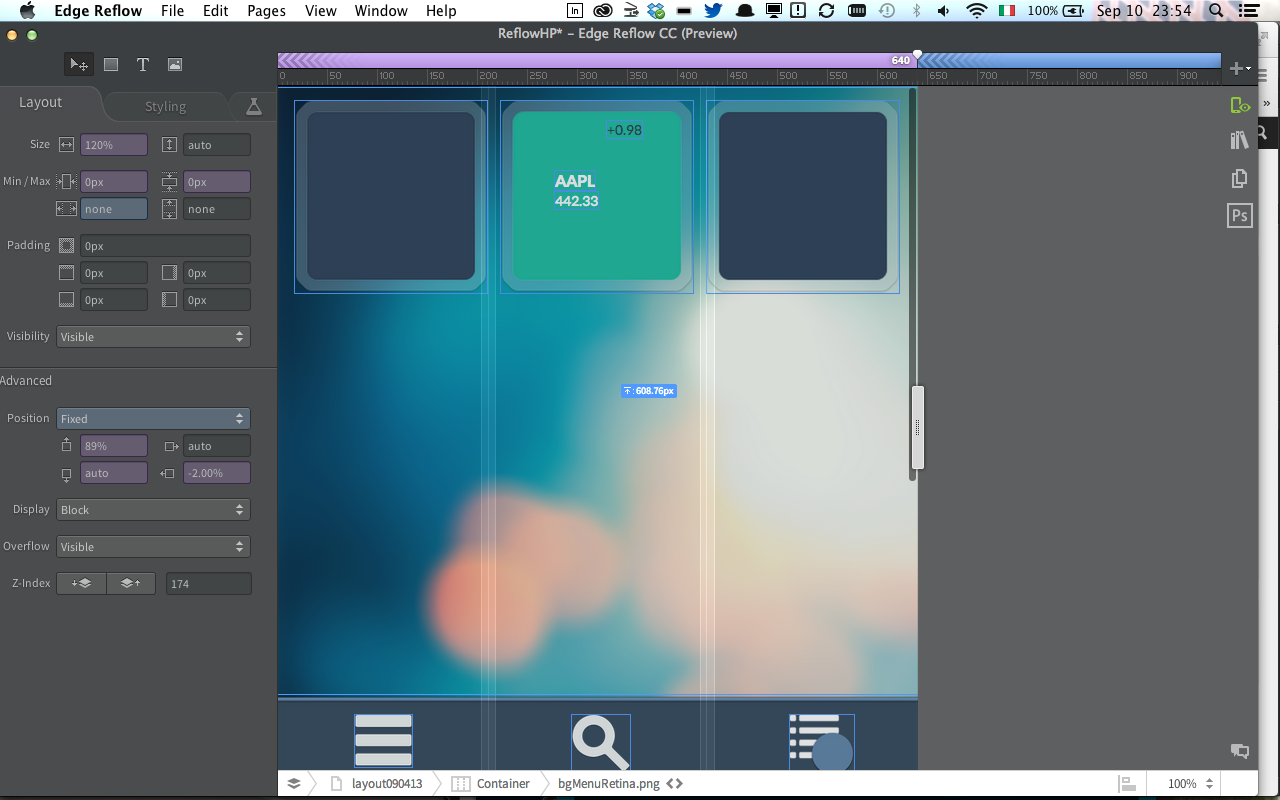
During last Adobe MAX I saw a couple of interesting demo on Edge “family” and I was impressed on the capability of Edge Reflow and its interaction with Photoshop CC to create user interfaces for different devices in really few time, that’s why I was really waiting to test this feature and I’d like to share with you my first experiment.

rwdTools

Photoshop CC and Edge Reflow

I think a lot of designers create the UI for a project with Photoshop, last Monday (9th September) Adobe released an update of Photoshop CC and Edge Reflow, but we start with Photoshop because the news are really cool.
One of the most boring activity for a designer (or for me when I did it as freelance :D) is to cut all images and prepare assets in different folders for the developers.
Photoshop CC helps us introducing a new feature called Adobe Generator, a new way to automate this long and tedious phase, where the designer has only to follow some simple rules on how to nominate Photoshop levels and the software automatically export all the assets for us, ready to be delivered to the developers team!
For instance if you want to export a particular level as PNG you need only to nominate the level with a PNG extension (for example: “background.png”) and run the new Photoshop command Generate > Image Assets to have all our files ready to be added on the real project.

Photoshop Generate command

To know more about Adobe Generator and in particular to know how to set the name of each level I warmly suggest to take a look to Photoshop.com where there are all the information to do that.
Another option that we have (as you can see in the image above) is the capability to export the UI structure and the assets to Edge Reflow.
If you don’t know what is Edge Reflow I explain it in few words.
Edge Reflow is a tool useful to create responsive design layout and, from yesterday, completely integrated with Photoshop CC.
In fact now you can import in Edge Reflow your layout and you can start to customise it visually for any screen resolution your project will work.

Edge Reflow

The most interesting thing is that you can export from Photoshop an Edge Reflow project, or you can synchronise in real time the changes when the 2 softwares are open.
Then you can create your layout for different resolutions only copying and paste the code generate from Edge Reflow in your favorite code IDE; I mean copy and paste for now instead of import because probably (at 99%) you’ll have to improve or change it a little bit after paste but it’s really a good step forward for a software in preview like Edge Reflow.
With Edge Reflow you can create <div> adding box elements in your layout and you can show or hide elements present in different screen resolution simply with the options in the left side of the software interface.
Another very cool thing is the capability to work with your Typekit account (integrated in your Creative Cloud subscription) to download the fonts needed in the layout made with Photoshop.

Edge Reflow and Edge Inspect

Last but not least, Edge Reflow is integrated with another cool product of the Edge family called Inspect.
Edge Inspect is a simple application that you can add as plug-in in Chrome or you can download in your iOS or Android device from the relative store, and it allows you to test in real time all the changes you are doing in a website or more in general in HTML, JS or CSS file checking in real time the final result in one or more than one device simultaneously.
This is a capability that partially missed in the flash development workflow where the mobile test was a real pain (in particular the first releases of Adobe AIR on mobile), in this case with all those new technologies Adobe decides to evolve and improve this experience giving good tools to develop.

From a developer perspective

Personally I think that the integration of a technology like Node.JS in last Adobe softwares (Brackets, Adobe Generator, Edge Reflow and so on) is giving a real boost to them, and they are opening new horizons in the desktop application field, in particular I suggest to take a look to Node-Webkit, an open source project that allow you to work with HTML5, Javascript (Node.JS obviously) and WebGL to create desktop application for different platforms.
There are many other tools that could help to achieve the same goal like TideSDK for example, but I think Node-Webkit could be very interesting if the project will be well approach by the community.

Conclusions

Demo Photoshop and Edge Reflow

Finally the big players on the market are delivering tools that allow us to create engaging and amazing experience with HTML5 and Javascript like other technologies did in the past (Flash Platform in primis).
The combination of Photoshop CC, Adobe Generator, Edge Reflow and Edge Inspect give us a real flexible and integrated workflow where in few steps we can save a lot of hours spent on the code with great results.
Obviously those tools are new and in “preview” so they are not perfect but they are stable and useful enough at this point to be integrated in the actual daily workflow giving immediately importart results.
I really hope this is the first steps to give us the freedom to create instead became crazy to have layouts working in different browsers and devices.

Comparison of colours in Actionscript 3

In this post I’d like to highlight a topic that is not the classic tip to use everyday but when it needs probably this “recipe” could help.

In last few weeks I had the opportunity to study how to compare 2 or more images and find similar colors between them.
Sincerely when I started I really don’t know how to do that, so I tried to read on the web the best way to accomplish this task.
There are many different way to compare colours, the easiest way that I found it’s working with RGB color space but a lots of experts  advice against this technique and they suggest to run away from RGB color space and work with different color spaces, in particular with which one work in 3D space.
The most complete is for sure the CIELAB so if you need to create an algorithm that compare in the best way colours I really suggest to work with this color space and read this post on this topic, in my case I need something in the middle so a colour space that could guarantee the perfect trade off between complexity and accuracy.
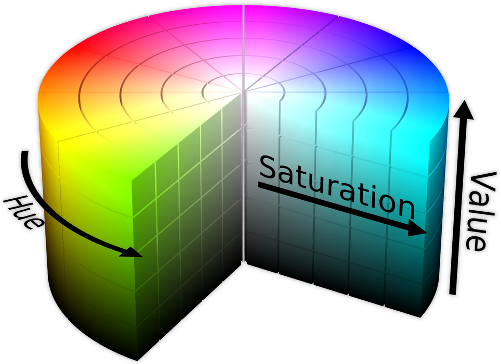
In fact I worked in this example with a 3D space like HSV (Hue, Saturation, Value), before go ahead with the post I warmly suggest to read more about HSV directly on wikipedia.

Hue, Saturation, Value

And now let’s go ahead!!!

I prepare a class that you don’t need to change if the idea behind it fit your needs, so this is the code to compare 2 images with my ColorComparision object:

var util:ColorComparision = new ColorComparision();
var finalDiffArr:Array = util.getSimilars(bmp1.bitmapData, bmp2.bitmapData);

As you can see, in the second line you will receive an Array of colors in RGB that you can use if you want in the UI or only as data if you want to add more complexity to this algorithm.

This comparison is made in this way:

1. I retrieve 64 average colors inside each image (inside the class ColorComparision I set a constant if you need to change this value)
2. I convert each colour from RGB to HSV
3. I calculate the distance between each colour of the first image compared with each colour of the second image

To be more complete as possible I expose also the capability to set the tolerance of the comparison in this way:

util.tollerance = Math.round(slider.value);

Finally I made a quick example where you can play with your images and see what happens, basically in this basic sample when you’ll click “compare” button you will find the color similar between 2 images you will compare.

As3 Color Comparison

Last but not least I leave you also this quick method to translate RGB color to HEX  and use them in your Flash application:

function createRect(_obj:Object):Sprite{
 // the obj has 3 properties: r -> red, g -> green, b -> blue
 var intVal:int = _obj.r << 16 | _obj.g << 8 | _obj.b;
 var hex:String = "0x" + intVal.toString(16);

 var s:Sprite = new Sprite();
 s.graphics.beginFill(uint(hex));
 s.graphics.drawRect(0,0, 20, 20);
 s.graphics.endFill();

 return s;

}

On my github space you can find the source to use this algorithm, enjoy!

Isolates: how to work with multithreading in Dart

Here we are again with another topic about Dart language, first of all I’d like to start this article with an off-topic.

I joined to FluentJS in San Francisco few weeks ago, an event organize by O’Reilly focus on Javascript development, and I saw a Dart language session, the most amazing thing I’ve seen was the passion behind this project, trust me that it’s not easy today find people that believe in that way in something, Seth Ladd, the speaker and team member of Dart, gave us a great technical introduction to Dart but gave us something more, he transmitted us all his passion on Dart, really amazing!

After this quick off-topic, let’s go ahead with Isolates tutorial.

First of all, Isolates is the Dart way to work with threads and allow to take advantage of your multicore computer, but what is multithreading and when we should use it.

Multithreading

This is a good definition for me: “Multithreading is the ability of a CPU to execute several threads of execution apparently at the same time. CPUs are very fast at executing instructions. Modern PCs can execute nearly a billion instructions every second. Instead of running the same program for one second, the CPU will run one program for perhaps a few hundred microseconds then switch to another and run it for a short while and so on.” (source: cplus.about.com)

And when should we use threads?!

Basically every time you need to speed up an intensive process, for example when you have an heavy process like unzip of a big file or a for cycle with a lots of elements, you should use the threads to don’t freeze the main one and allow your user to work the interface without any issues.

Dart adds this capability in 2 different ways because, as you know you, it can export a project for Dart VM or in Javascript, with Dartium we can use the power of CPUs of your multicore computer and create different threads in each CPU where will be executed your code, in Javascript, Dart converts Isolates in web workers.

Before starting with code I decide to show in a chart how we’ll work with isolates, so basically first of all we create 2 isolates launched from the main isolate and then we pass the final informations elaborated in different isolates to the main one.

Isolates Schema

Last note, when you work with isolate you can have a sender and a receiver, so in the main isolate (launched by the application) you have a port object where you can listen when you receive informations from other isolates and you can pass the sendport object where you can send message to other isolates.

port.receive((data, SendPort replyTo){
replyTo.send("something");
});

Another important thing to remember when you work with isolates, if you need to receive messages from other isolates, is that you always set  the receiver in the main isolate, or you will n0t receive any message from other isolates because the execution of your program is not waiting for any reply without a receiver set.

I created a small project around this topic to show the powerful of the isolates, take a look here:

As you can see when I click on MONO link my CSS animation stops until to the heavy iteration is finished instead when I click on ISOLATE  link everything works well because all the iterations are accomplished in different isolates so the main one could go ahead with own job.

When you want to launch an isolate you have to call the spawnfunction method and pass the main isolate sender:

var isolate = spawnFunction(bigForCycle);
isolate.send("data", port.toSendPort());

After that you can operate with your isolate in this way for example:

void bigForCycle(){
 
 port.receive((data, SendPort replyTo){
 var count;
 for(var i = 0; i < FINAL_AMOUNT; i++){
   count = i;
 }
 replyTo.send(count);
});

}

It’s finally important remember to close isolates after received the message so when they have finished to accomplish own function, to do that you have only to call the close method in the main isolate and it will not receive any other information from other isolates.
In my example I launched 2 isolates to accomplish the task, so I created a counter variables to store how many reply the main isolate received, after received all replies I can close the communication with other isolates:

port.receive((data, SendPort replyTo){
 
 counterIsolate++;
 end = new DateTime.now();
 
 if(counterIsolate == 2){
 var finalTime = end.difference(start).toString();
 myH1.appendHtml("isolate total time: <b>$finalTime</b><br/>");
 // if you want to close isolates you have to use the line below
 port.close();
 
 }

 });

The most interesting thing is that you can accomplish the same task in 2 different way, the first one, as I did in my example, with inline isolates and the second one is loading code dinamically from external Dart files.
To take a look to the second one I suggest to read this post made by Seth Ladd.

Isolate technique is very useful also when you are working on a serverside project with Dart because it could optimize some intensive process that you have to achieve during your project.

I’ve just opened a github repository with all Dart examples that I’m working on, so feel free to check out at this link.
Enjoy!

A long weekend with Tizen, CreateJS and JQuery Mobile

Let’s start from the end of my weekend, this is what I’ve just finished:

And now it’s time to explain what there is behind.

What you have just seen is a PoC (Proof of Concept) for an application that I’ve in mind, it allowed me to study, test and having fun with different technologies, in this post I’d like to share what I’ve learnt in less than 24 hours.
I worked with different technologies as the post title suggest, I was really curios to see how I can create good application UI on Tizen OS and understand more about its limits (if there were of course) and performances.
At the beginning, I worked on the 2.5D animation where I had to scale, skew and rotate any images chosen by the user from the Gallery application.
When I started this part I tried immediately the CSS3 transitions, I thought: “They are new, so probably they care about performances on mobile!”, so after 3 hours to play with CSS3 transitions and trying to have a smooth animation on Tizen, I decide to move on Canvas!
CSS3 transitions are very good for web and desktop, but for mobile when you start to do many heavy animations they really suck, in this Tizen device (it has an hardware similar to Galaxy S3) that is so powerful everything has to work well and with them I can’t achieve my idea.

So I moved to Canvas, but I thought to find something that could help me during my “coding time” and that it feels me more comfortable so I remembered that I’ve used long time ago CreateJS for some test and in this case it helps me a lot.
When you work with CreateJS, more or less you are working with Actionscript with some small changes, for any Actionscript developer it should be a good start to move on Javascript, but there are many other options as Dart or Typescript for example that are good enough for any developer that is looking for something more than Javascript (my 2 cents).
But in this case CreateJS  helps me a lot because is highly focused on Canvas development so definitely what I was looking for.
I haven’t any trouble with this library on Tizen, the performance are so good as you have seen on the video and I didn’t write so much code, my Javascript file for the whole app is less than 260 lines, not a lot I guess.

After that I moved on and I start to work with Tizen web APIs to get images from the Gallery application.
In this case the Tizen developer forum and the online guide help me so much, in fact I found a working example in the forum that I had only to customise for my PoC.
The big issue that I found here is if I want to select more than one image, working with Gallery instance, I couldn’t do that or maybe I couldn’t find a way to do that, so I decided to create a quick picker (at the beginning of my application) to allow me to choose more than one image to the time.
To do that I had to work with filesystem APIs instead of the Gallery one, but in a while I had done everything, this is the code to retrieve all images from Image folder of Tizen OS, but you can use to retrieve any kind of files on Tizen OS:

function onResolveError() {
    console.log("error retrieve data");
}
function onsuccess(files) {
    for (var i = 0; i < files.length; i++) {
        console.log("File name is " + files[i].name + " and URL is " + files[i].toURI()); 
    }
}
function onResolveSuccess(dir) {
    dir.listFiles(onsuccess, onResolveError);
}
function openImages() {
    tizen.filesystem.resolve('images', onResolveSuccess, onResolveError, 'w'); 
}

After that I spend few hours to skin my app and get the right look and feel I had in mind with CSS and JQuery mobile and to create this post with the video.
A quick recap of my last experience:

  • on Tizen if you need to improve performances try to work with Canvas instead of CSS transitions
  • when you have to retrieve files (images, video or whatever) remember to set the right privileges on config.xml and then add the code you can find above
  • CreateJS is a really good library if you want to work with Canvas efficiently and without wasting your time
  • CreateJS has a good community and if you have a problem you can find a lot of solutions and suggestions
  • CreateJS is familiar for any Actionscript 3 developer

That’s it!
Ah, if you are asking if I changed my “religion”? Don’t worry, soon you’ll have news about Flash Platform in this blog, but sometimes I want to experiment new things.

Tizen the new mobile OS

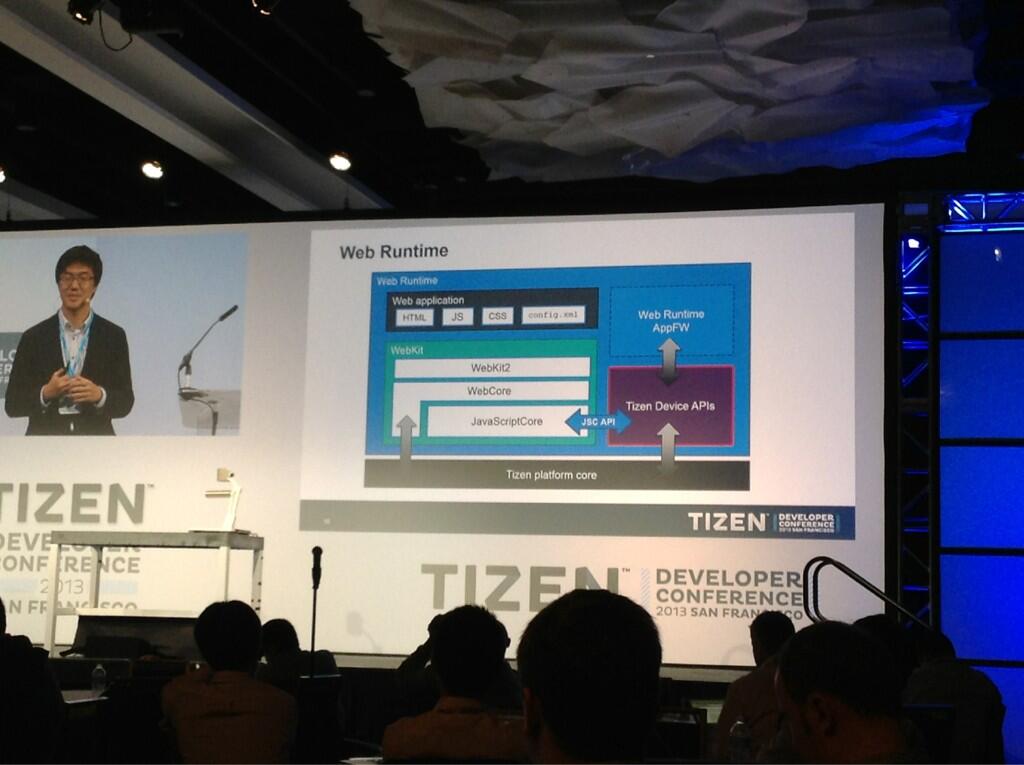
Yesterday Tizen conference finished with a lot of great things announced, so in this post I’d like to recap the main news that I’ve catch during this conference.
First of all Tizen is an open source operating system, not only for mobile purpose but also for TVs and automotive market too.
Behind Tizen there are many players but the most interesting are Samsung, of course, and Intel.
Actually Samsung is working on the new version of Tizen, the 3.0, but they have just released the 2.1 that allow any web developer, C++ developer or Unity developer to deliver content on this new OS.
The first devices will be shipped this summer (more or less), in Europe the first operator that believe in Tizen will be Orange, in Asia otherwise will be NTT DoCoMo.
Web development APIs on Tizen are hardware accelereted, so the performance should be incredible, actually if you want to start work with Tizen is quite easy, first of all you have to download the SDK, then inside the SDK you can find the TizenIDE that allow you to create Web Application or Native Application, debug them and prepare for the store.
This IDE is really well done in fact you can debug your application in a simulator (quite similar to the last introduced in Flash CS6 or Device Central for example), directly on the device trough USB, or in the emulator; the simulator and emulator are inside the free SDK that you can download directly from Tizen website.
Web Applications, at this moment, run in Tizen Web Runtime not with Phonegap or other frameworks but Apache Cordova is working to support Tizen export soon and they would like to add on Phonegap buid solution made by Adobe.
Tizen is based on webkit and it’s the most compliant platform at the moment with a score of 492/500.

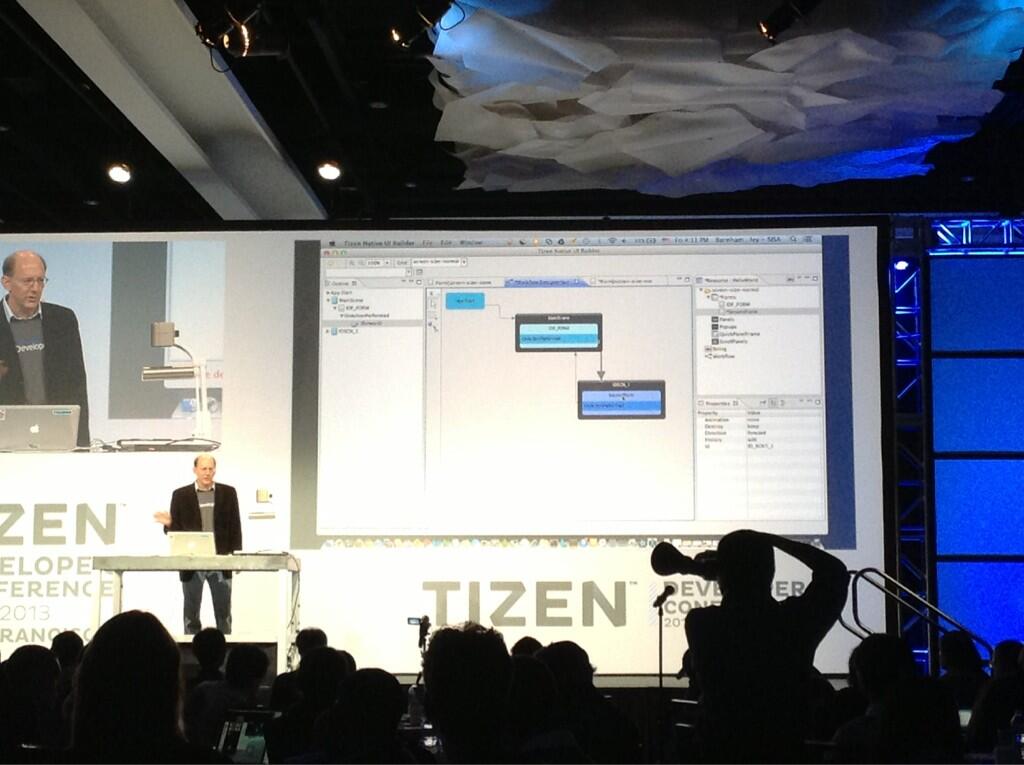
Another great thing of Tizen is that Samsung created a real platform around it, in fact for the native side you can also create and skin your GUI directly with Tizen UI Builder, a software similar to Apple Interface Builder and it helps a lot during the creation and definition of UI.

I followed a couple of session dedicated on how to port PhoneGap application on Tizen and it’s interesting to know that the porting is so smooth (less than a week for many games).
The Web Runtime APIs for Tizen are very powerful, they allow to work with Bluetooth, NFC and many others low-level features in a really easy way.

At the end of the event any attendee received a device for testing purpose, so after dinner I started to play with Tizen and the Web Runtime, mainly to understand if there are many differences between a Tizen app and a Phonegap one.
As you can see in few time I create an example that works on Tizen with HTML5, Jquery Mobile and Underscore.js

The first impression is positive, everything works well, I didn’t find any kind of problems, the documentation is well done and you can find a lot of resources directly on developers website.
I didn’t try yet to work with platform APIs but I see on the documentation that are quite similar to Phonegap so I don’t think that a Phonegap developer could have any problems to work with them.

Last but not least, Samsung has created an app challenge that will start at the beginning of June where you can win a lot of money so if you want to partecipate take a look at the challenge website.

Finally, Tizen is going in the right direction for me, the big deal will be the penetration on the mature markets, if many people all over the world will start to buy it and use it, probably it should become so interesting, but for now we have to wait the launch of the devices.

Dart: elements iteration and CSS manipulation

In my exploration of Dart I’m trying to work in some easy examples that could help me to understand how to accomplish some tasks with this technology.
In this example I tried to understand better how iteration of elements works in Dart, how to create a layout with custom elements (more or less the same topic of a custom item renderer in Flex for example) and finally how to create some animations with CSS3 at runtime.

To accomplish those topics I decided to create a responsive image gallery that works on smartphone, tablet and web too.

image gallery with dart

Responsive image gallery

Iteration

Dart gives few opportunities to iterate trough elements:

  • with Dart language (a classic for cycle)
  • with an HTML template
  • with elements composed by an HTML template and some dart code to cover the business logic of the final element

I jump directly to the second and third method, the first one is quite easy for any developer 😉
In my sample I decide to use a simple HTML template, so basically you can define inside your html a tag <template/> that will allow you to repeat the HTML inside this tag associating it to a list for example, I give you a quick sample:

 <div id="imageCont" class="wrap">
      <template iterate="data in results">
        <div class="image">
          <img id="img_{{data[0]}}" class="faded" src={{data[1]}} width="320" height="240" on-click="onClick($event)" on-mouse-out="onOut($event)" on-mouse-over="onOver($event)" on-load="fadeIn($event)"/>
          <img id="zoom_{{data[0]}}" src="images/zoom.png" class="zoom"/>
          <h2><span>{{data[2]}}</span></h2>
         </div>
      </template>
    </div>

First of all take a look on how I can iterate this part of code; I add a simple iterate attribute associated to a list object (called results in my example) added in my dart file as a public variable.
The list could be a plain list or a list of objects, in this last case you can create multiple iteration item inside the template cycling trough your objects in the same way you have just seen.
I can substitute my data variable with any other name and I don’t need to define in my dart file, as you can see I can also define some variables inside the template getting values from my list object with this syntax: {{data[0]}} (or {{data[“value”]}} it’s the same, depends how you have create the list object).
If you need, you can also made your source variables bindable and any time you’ll change the values of your list, also the view will change the number of elements or the values showed in the HTML page.

Finally when you need to create an iterable object with a complex business logic and you want to separate from the original HTML file you can do that creating a Web Components, but in this case I suggest you to take a look to the Dart language guide that explain very well how to achieve this topic.

Modifying CSS with Dart

Another interesting topic is how to change, add or remove css styles to my DOM objects.
In Dart is so easy like any other javascript library, so basically any DOM element in Dart has a property called “classes” with its associated method add and remove, so when you want to change your CSS class with another one, you have, if you have any classes already associated to the element, remove the old class and then add the new one:

var myDomObj = query("#idObject");
myDomObj.classes.remove("class-to-remove");
myDomObj.classes.add("class-to-add");

You can also style any single property directly with “style” property and set them directly in this easy way:

var myDomObj = query("#idObject");
myDomObj.style
             ..color = "0xFFF"
             ..fontSize = "15px";

As you can see working with CSS in Dart is relative simple, if you want to take a look to the whole project feel free to download it.

Another cool thing that is so useful when you work with mobile apps or websites is to test quickly and frequently your content on the devices, so with DartIDE (you can find it downloading Dart SDK) you can easily test your content trough a web server that starts any time you are testing your app into the browser.
It’s so interesting because you save a lot of time in this way!

I’m trying to figure out right now an hypothetical workflow to create web app, web sites or any other thing with Dart and HTML5.
I believe that use Dart in combination with Edge Reflow could be the best way to create responsive application for any kind of devices, but we have to wait until the release of Edge Reflow (17th June) to know if my supposition is true or not.
When it’ll be released and I’ve few time to invest, I’ll prepare another tutorial around this workflow.
In the meanwhile I hope you are enjoying those experiments with Dart and if you are interesting in any kind of topics on Dart feel free to suggest trough a comment in this post or sending an email

First approach to Dart

Dart Logo

After saw what’s happend during the Google I/O, I decide to make some experiments with Dart.
If you don’t know what is Dart I explain in a while: Dart is a new language that allow to structure  your code in OOP manner with strong typing but with a lot of flexibility.
It’s so similar to Javascript but give you the opportunities to create classes, libraries, isolates (a good implementation to use shared-memory threads) and so on.
For an Actionscript developer, Dart seems to be the natural evolution to Javascript, during last week, also, Adobe announced an extension for Flash that allow to export Flash animations directly to Dart, so another good point on why choice this great new language.
Starting to work with Dart is very very simple, you have only to download Dart from the website and you will find inside the zip the DartEditor, an editor based on Eclipse that will become your new IDE to write Dart application.
When you are working with Dart to create the UI of your project, you can use HTML and CSS and if you have some Javascript library to integrate with Dart, you can do that!!!
With Dart you can decide to create a client or server side project, you can also export your client project for chromium or Javascript, so it’s very flexible and powerful as you can see.
I will not explain how to install Dart and getting started with it because in the official website the “get started” section is well documented, so I prefer to start with an example of a video player, if it’s your first approach to Dart I suggest to take a look, before go ahead with this post, to that section on the official website.

For the UI part of my example I’ve used Topcoat and Dart for the business logic of my video player.
Topcoat is a new Adobe UI library dedicated to style in a good and fast way the main components in a web or mobile application, if you have worked with Flex is more or less the same concept of a theme, so when you don’t want to waste your time creating a custom UI you can easily use Topcoat for your prototypes or example.

Beginning from the UI side, after created a new Dart project, I create an HTML file where I add a title, an instance of video component, and a div with some buttons and a slider to manage the volume:

<div class="centerClass">
      <h1>VideoPlayer made with DartJS</h1>
      <video id="video" width="640" height="420"/> 
    </div>
    
    <div class="centerClass">
      <a id="playBtn" class="light-button">Play</a>
      <a id="resumeBtn" class="light-button">Restart</a>
      <span id="currTime">00:00/00:00</span>
      <span><input id="volume" type="range" class="dark-slider" value="100"/></span>
    </div>

After that I created my class in the DartEditor, all Dart classes have the extension .dart.
At the beginning of this class I’ve retrieve the id of my components inside the HTML file with query method, as you can see below, it allows me to work with them directly from my Dart class:

volumeSlider = query("#volume");
  currTimeDisplay = query("#currTime");
  player = query("#video");
  playBtn = query("#playBtn");
  restartBtn = query("#resumeBtn");

Then I loaded my mp4 file inside the video component and I’ve added all listeners that I need to intercept events from user or from the video instance:

player.src = "video/test.mp4";

//player listeners
  player.onLoadStart.listen(checkLoading);
  player.onEnded.listen(restartVideo);
  player.onTimeUpdate.listen(refreshData);
  
  // buttons listeners
  volumeSlider.onChange.listen(setVolume);
  restartBtn.onClick.listen(restartVideo);
  playBtn.onClick.listen(playVideo);

After that I’ve only to add the business logic for any interaction and everything will be done:

void refreshData(event){
  currTimeDisplay.text = returnDisplayTime(player.currentTime) + "/" + returnDisplayTime(player.duration);
}
 
void checkLoading(event){
  //after video si loaded I play it
  player.play();
  isWorking = true;
  playBtn.text = "Pause";
}
 
void playVideo(MouseEvent event){
  //managing if I've to play or pause the video
  if(isWorking){
    isWorking = false;
    player.pause();
    playBtn.text = "Play";    
  } else {    
    isWorking = true;
    player.play();
    playBtn.text = "Pause";
  }
}
 
void setVolume(event){
  //setting volume video value (from 0 to 1)
  player.volume = int.parse(volumeSlider.value)/100;
}
 
void restartVideo(event){
  player.load();
  player.play(); 
}

When you have finished you can easily export your project to Javascript from the DartEditor menu (Tools > Generate Javascript) and publish on your website.
Finally this is the link to download the entire project.

As you can see Dart is not a complex language in particular if you have a solid understanding of OOP language, I personally think that many Actionscript developers will be find in Dart a good approach to Javascript and probably new stimulus on create new engaging experiences.

Adobe AIR 3.8 introduces Socket Server on Android and iOS

Hi All,

after long time I’m back for all the developers are working with the Flash Platform right now!
Sorry for that but it was a really intensive period for me with the organization of “Having fun with Adobe AIR” so I haven’t a lot of time to share with you my new experiments.
Yesterday Adobe MAX is finished with a lots of design news, great and inspire case histories for designers and a lot of amusement during the Sneak Peek where they have shown the real power of Adobe labs with tons of really cool features that we could see in next releases of Adobe’s softwares.
For a developer perspective there weren’t big announces so, as usual, we can do it by ourselves…. and here we are!

During last few days Adobe release the Adobe AIR 3.8 and Flash Player 11.8, both in BETA but you can download and start to play with them.
When Adobe releases a new AIR SDK I always take a look to the release notes to see the new features of my favorite platform, this time I’m glad to announce that they add the opportunity to create TCP/IP and UDP socket server directly on iOS and Android.
This is a very cool feature because you can really create amazing things in particular for applications and games, for example local multiplayer, chat and so on.
I worked a lots with sockets during last years in several projects and my big concern was that I can’t create a socket server on smartphone and tablet with AIR, I could do that only with native code but I was pretty sure to see this feature will be implemented in next releases of AIR!

Today I had few time to spend experimenting new stuff so I decided to try AIR 3.8 BETA on mobile and create something cool to share with you.
As you can see in this short video I create a socket server on my iPhone 4 that interact with a client made on my iPad mini (I tried also with my Android smartphone and it works as well):


To create this sample you needn’t to learn something new, you can use the same APIs you will use on a desktop application, so to create a socket server you write those few lines of code:

//creation of a TCP/IP Socket server
private function createServer():void{
server = new ServerSocket();
server.addEventListener(Event.CONNECT, onConnect);
server.bind(7934); // this is the number of the port where your socket communicate
server.listen();
}

Then, when a client socket will join in the same network and it listens the same port of the server, the magic happens and you can start to comunicate:

//on the server socket application
protected function onConnect(event:ServerSocketConnectEvent):void {
incomingSocket = event.socket;
incomingSocket.addEventListener(ProgressEvent.SOCKET_DATA, onData);}

protected function onData(event:ProgressEvent):void {
if (incomingSocket.bytesAvailable > 0){
//here you can pass data to the client using writeBytes, writeUTFBytes and many other methods
/*an example could be:
incomingSocket.writeUTFBytes(String("HELLO!");
incomingSocket.flush();*/
}
}

// on the client socket application you have to create the connection and then manage (send and receive) data from the server
private function createSocketConnection():void{
socket = new Socket()
socket.addEventListener(Event.CONNECT, connectedToServer);
socket.addEventListener(ProgressEvent.SOCKET_DATA, receiveData);
socket.addEventListener(IOErrorEvent.IO_ERROR, ioErrorHandler);
socket.addEventListener(Event.CLOSE, closeSocket});
//pass to connect method the server IP and the port to comunicate
socket.connect("127.0.0.1", 7934); 
}
protected function receiveData(event:ProgressEvent):void {
// here you can read all the packets sent from the server
}
protected function ioErrorHandler(event:IOErrorEvent):void {
trace("ioErrorHandler: " + event);
}
private function connectedToServer(e:Event):void{
//yes! you are connected to the socket server
}
private function closeSocket(e:Event):void{
//your socket connection is closed
}

After that you can start to experiments with this new feature as I’ve just done.
Last but not least, as you can see on the release notes, Adobe adds another great feature, that is the capability to stop all movieclips are running on the stage calling a new method “stopAllChildren()” directly from the stage instance.
Simple, easy and useful!